



Where can I find my loan account number in Digital Banking?
To locate your loan account number, follow these steps:
- Log in to Embold Digital Banking (online or through the mobile app).
- From your Accounts Dashboard, select the loan account you want to view.
- Click the Account Details tab (for desktop) or the Show Details button (for moble app), then you’ll see your full loan account number displayed.
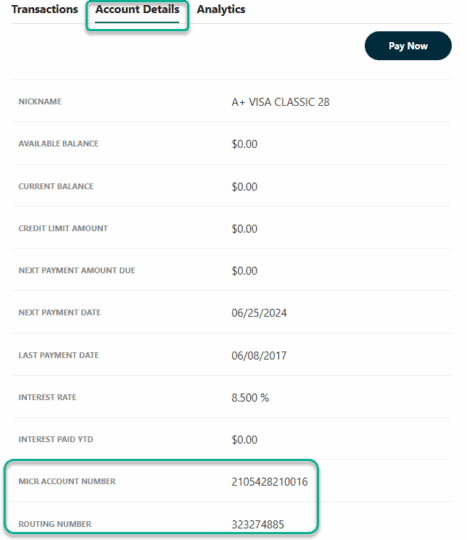
Tip: Your loan account number is different from your member number. Be sure to use the loan account number when setting up payments or transferring funds.